HTML Interview Question


Designed & Developed by Rakib
rhbabu.dev © 2026
HTML, short for HyperText Markup Language, is the standard language used to create web pages. It works with other technologies such as Cascading Style Sheets and JavaScript to design and display web pages. Web browsers receive HTML documents from web servers or local storage and use them to create multimedia web pages. HTML describes the structure of a web page and was originally used to add cues for the appearance of the document.
Semantic tags are HTML tags that clearly describe their meaning. Unlike non-semantic tags like <div> and <span>, semantic tags such as <header>, <main>, <article>, <table>, and <form> have their own meaning that is easily understood by both the browser and the developer. By using semantic tags, developers can create a more organized and accessible website that is easier to navigate and understand for both humans and search engines.
<article>, <div>, <section>, <nav>, and <aside>?The <article> element is used to indicate that the content within it is self-contained and independent. It is typically used for a blog post, news article, or any other type of content that can stand on its own.
The <div> element is a generic container that is used to group together other HTML elements. It is often used for styling purposes or to organize content on a page.
The <section> element is used to define a specific section within an HTML document. This can be useful for breaking up content into different parts, such as chapters in a book or different sections on a web page.
The <nav> element is used to define a section of a page that contains navigation links. This can include links to different pages on a website, or links to different sections within the same page.
Finally, the <aside> element is used to indicate that the content within it is related to the main content of the page, but is not central to it. This might include things like author information, related articles, or advertisements.
<meta> tag?The <meta> tag holds metadata about an HTML document. It does not make anything visible, but it tells the browser how the HTML content will be displayed.
Inline elements are those which are displayed side by side in a line. Examples of inline elements include <a>, <img>, and <span> elements, which are by default inline. Inline-block elements are also displayed in a line side by side, but they behave like small blocks. On the other hand, block elements take up the full width of the document. Examples of block elements include <div>, <p>, and <h1> elements, which are by default block.
<strong>, <b> and <em>, <i>.The <b> and <strong> tags both make the text bold, but the browser recognizes the <strong> tag as more important. This is especially helpful for visually impaired users. Similarly, the <i> and <em> tags both make the text italic, but the <em> tag is more semantically meaningful.
HTML defines attributes which cannot be changed by the DOM, while properties defined by the DOM can be changed. For instance, in the code <input type="text" value="name" />, type and value are attributes defined by HTML, while text and name are properties that can be altered by the DOM. The browser renders documents based on the attributes property. If the code is changed to <input type="number" value="age" />, the browser renders a different input field that accepts a different value.
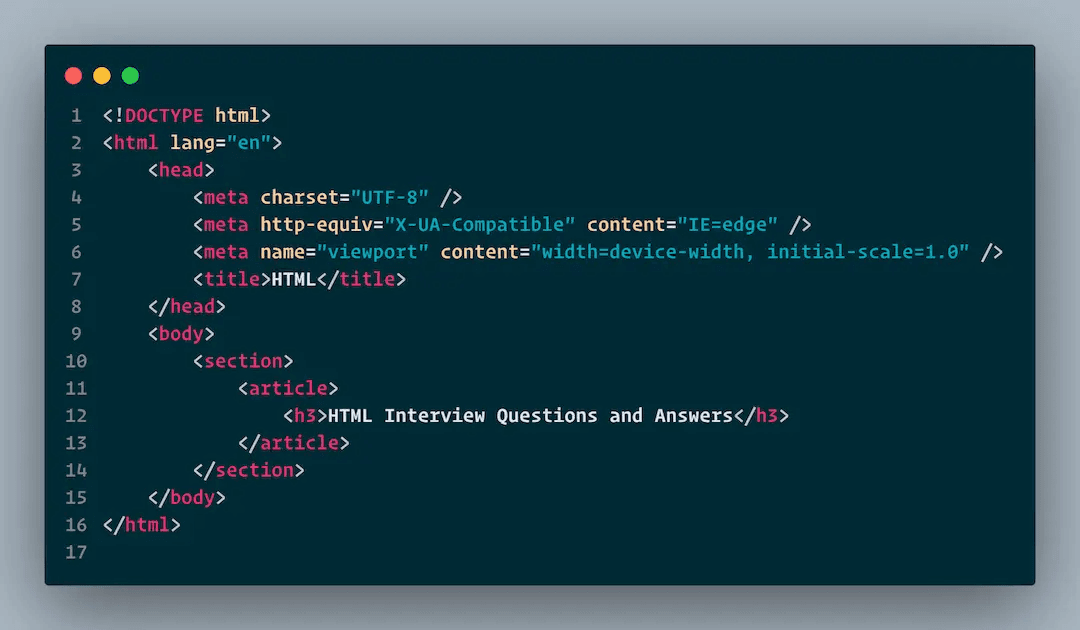
The viewport is the visible area of a web page and depends on screen size, which can vary.
HTML elements contain content while HTML tags hold elements. For instance, <title> element holds the document's title, and <head> tag holds all head elements.
Using the <iframe> tag, we can embed a webpage within another webpage. The embedded webpage works properly as if it were standalone.
The root element of an HTML document is <html>. Within this, you can use the <nav> element to define the header of the document. The <section> element is used to define the navigation links for the document, while the <article> element defines a section of the document. Lastly, the <footer> element defines self-contained article, read defines the footer for the document.
<!DOCTYPE html> /* HTML5 declaration */
<html>
    <head>
        <meta content="" description="" />
        <title>Title</title>
    </head>

    <body>
        <nav>Navbar</nav>
        <header>Header</header>
        <section>
            <article>Article</article>
            <article>Another Article</article>
        </section>
        <section>
            <article>More Article</article>
        </section>
        <footer>Footer</footer>
    </body>
</html><progress> and <meter> tag?The <progress> tag is used to display the progress of a specific task as a percentage of completion. For example, it can show 75% progress out of 100%. On the other hand, the <meter> tag is used to measure specific data within a given range. For instance, it can be used to rate something on a scale of 1-5.
HTML5 supports three audio formats: MP3, WAV, and Ogg, as well as three video formats: MP4, WebM, and Ogg.
<marquee>?Marquee is an HTML tag used to automatically scroll text or images within a web page. It can be scrolled up, down, left, or right.
In HTML, we typically use three types of style sheets for an element: inline, internal, and external. The style sheet with the highest precedence is inline, followed by internal and external stylesheets. This means that external styling can be overridden by internal and inline stylesheets, and internal stylesheets can be overridden by the inline stylesheet.